Name and type search
Combine one or more filename keywords with a file type filter to narrow results quickly.
 Quick Search File
Quick Search File builds a local filename index for the folders you choose, then helps you find documents by name and file type on iPhone, iPad, Mac, and the command line.
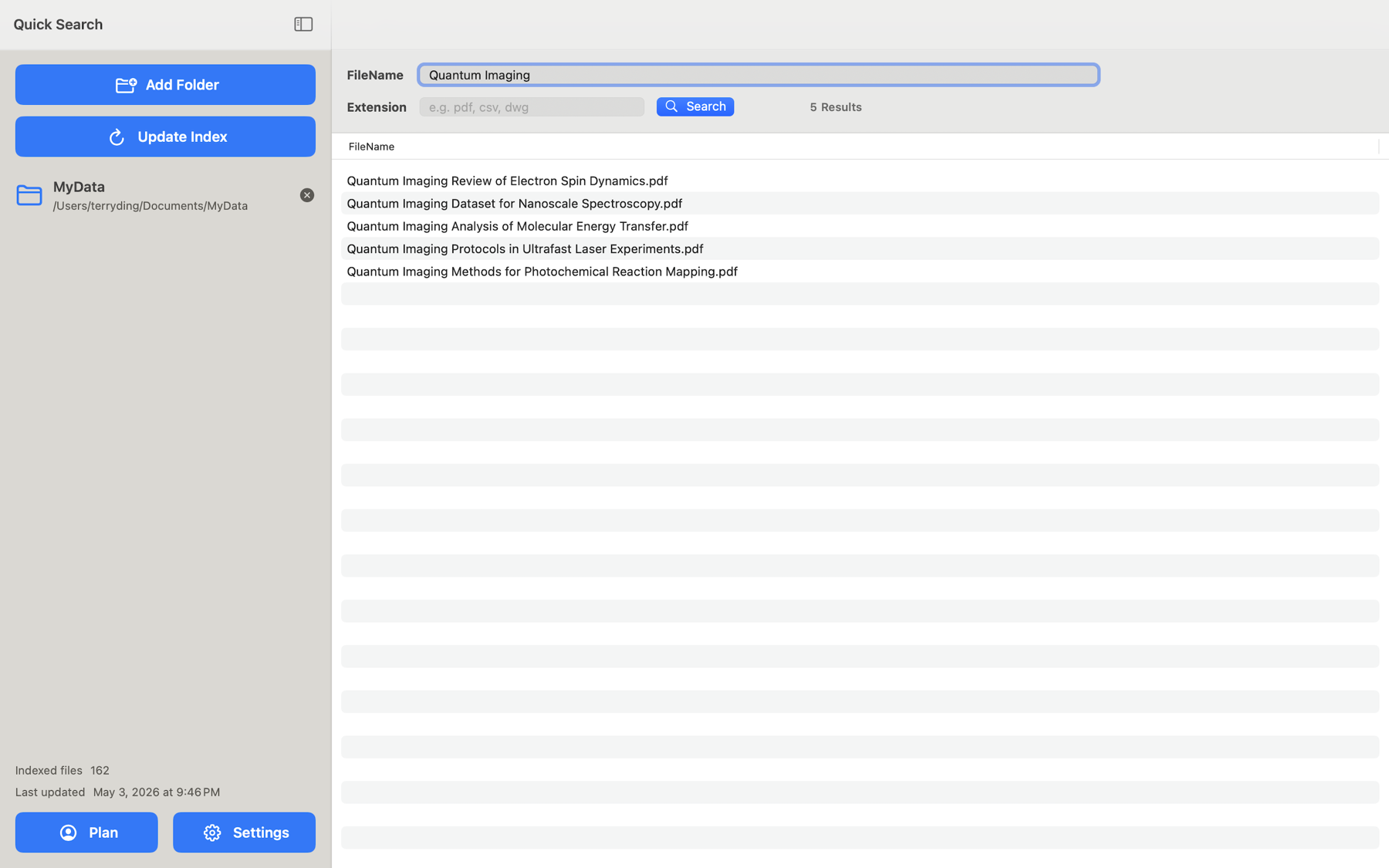
Combine one or more filename keywords with a file type filter to narrow results quickly.
Use the app on iPhone, iPad, and Mac. Search folders you authorize through the system file picker.
On Mac, Pro users can search the same local index from Terminal for scripts, automation, and AI workflows.
 Quick Search Files & Find Text — macOS
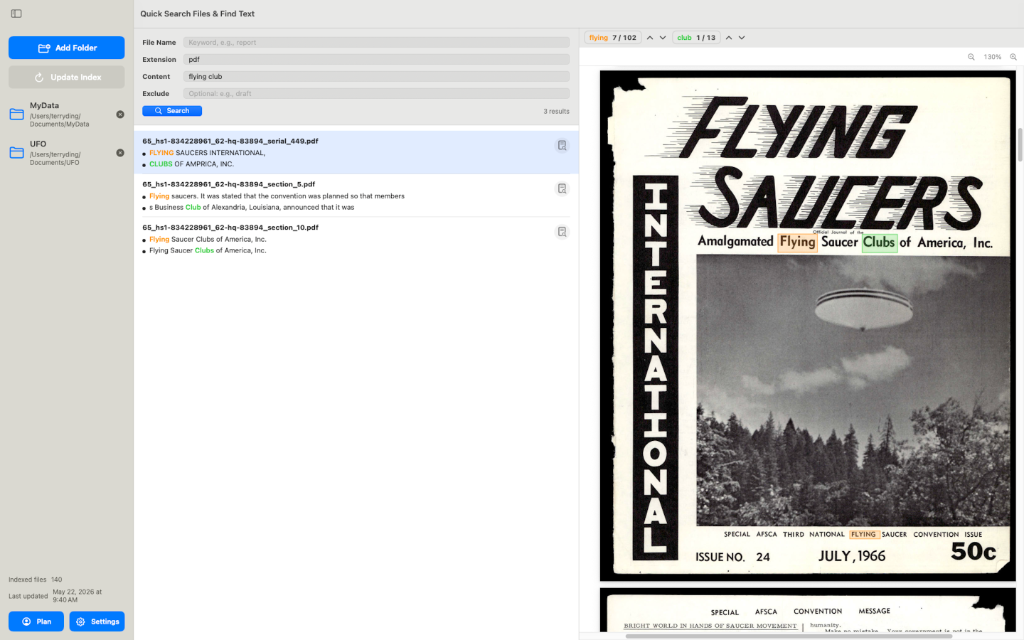
A Mac app that reads inside your documents — not just filenames. Pick folders, build a local index, and find any passage across PDFs, Office files, iWork documents, and more.
Search inside PDFs, Word, PowerPoint, Excel, Pages, Numbers, Keynote, text, Markdown, and more.
Combine file name, file type, content, and exclude terms to narrow large folders quickly.
Preview matching passages with separate colors for up to three content keywords.
Find printed words inside scanned PDFs, old books, photographed pages, and images.