Basic workflow
Add one or more folders, create or update the local index, and search with filename terms, extension filters, or both.
macOS app and Command Line Interface (CLI)
Quick Search for macOS gives you a native Mac app for visual searching across Finder-authorized local folders and cloud-synced folders that are available on your Mac, plus optional Command Line Interface (CLI) access for Terminal, scripts, shell pipelines, Shortcuts, automation tools, and AI-assisted file work. The Mac app builds the local index; the CLI uses that same index for update, search, and status commands.
Available on the App Store for Mac.
quick-search search report 2026 --ext pdfquick-search search report --ext pdf --json --limit 10Mac app
Use the app when you want a visual workflow: add Finder folders, include cloud-synced folders that are available locally, build or update the index, search by filename or extension, inspect paths, and open files from a native macOS interface.
Add one or more folders, create or update the local index, and search with filename terms, extension filters, or both.
macOS folder access is handled through Finder and macOS permissions. You can index local folders and cloud-synced folders that are available on your Mac; the Mac app does not use OneDrive OAuth APIs.
Update the index after adding, deleting, moving, or renaming many files. Automatic refresh is available with an active subscription.
macOS screenshots
Use extension search when you know the file format, or combine filename terms to narrow a larger document set quickly.
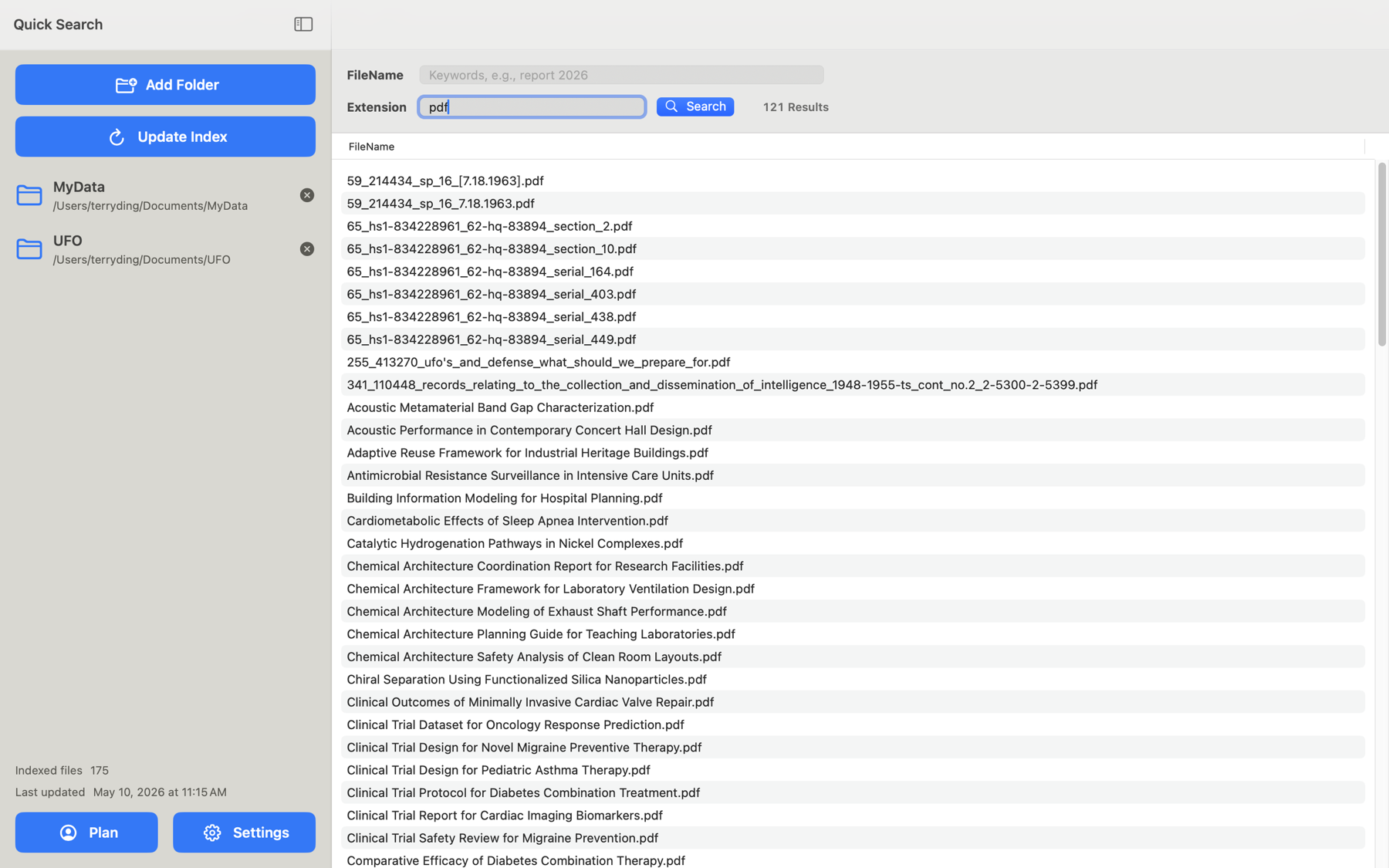
pdf.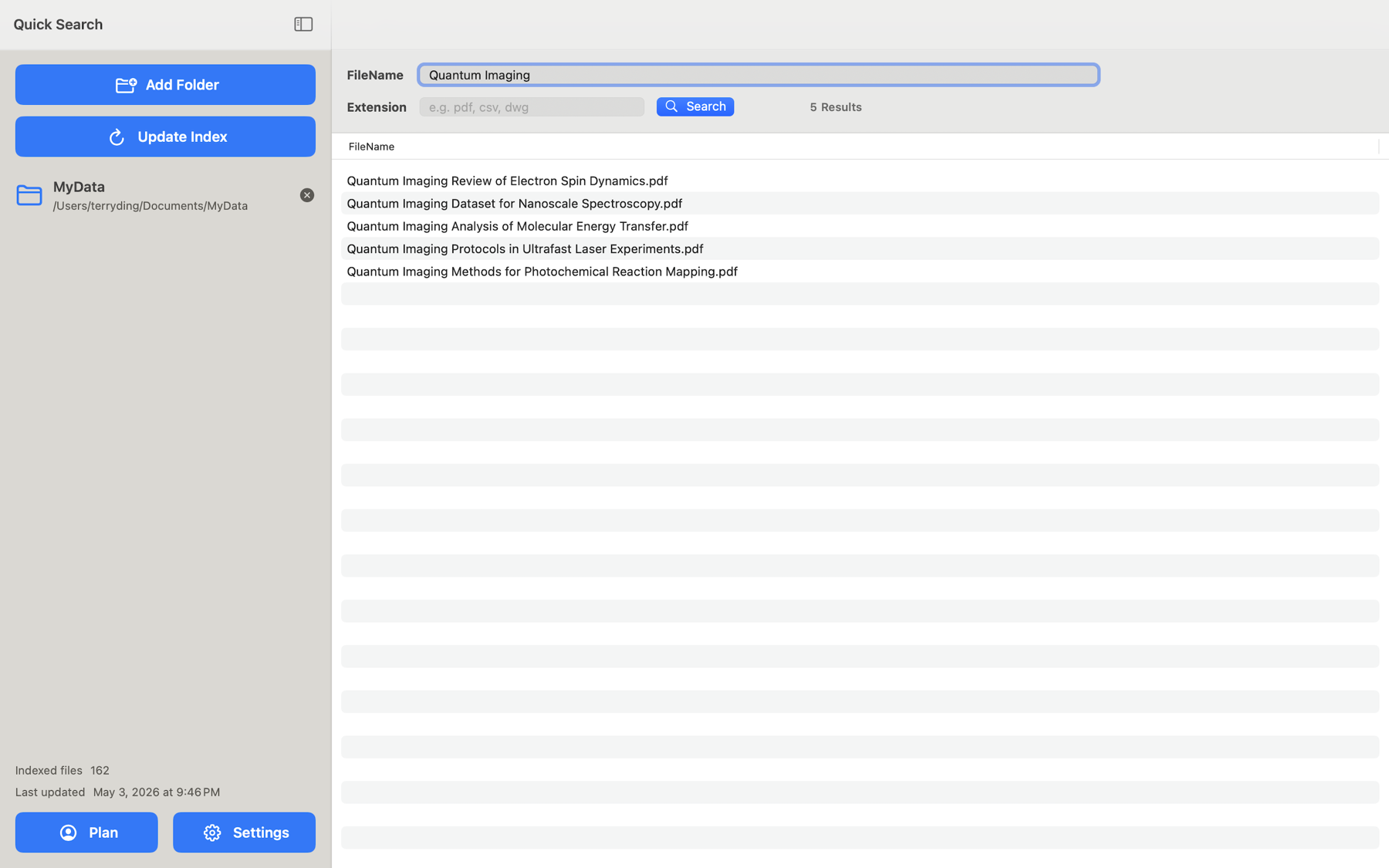
Lightning-fast search
The macOS App averaged millisecond-level search time when matching combined filename terms with default AND matching and an extension filter.
Average macOS App search time across three 100,000-file test runs
Command line
The Command Line Interface (CLI) runs through Quick Search.app and uses the same app-authorized local index. Add folders and build the index in the Mac app first, then use quick-search or qs for update, search, and status commands. CLI features require an active subscription and must be enabled in Settings.
Use quick-search as the primary command. The optional qs alias is available when it does not conflict with another tool.
quick-search helpReturn readable text, paths-only output for shell pipelines, or JSON with structured metadata for AI assistants, scripts, and automation systems.
quick-search search report --ext pdf --json --limit 10quick-search updatequick-search statusAdd folders and build the initial index in the Mac app so folder access stays aligned with macOS security-scoped permissions.
quick-search search report 2026 --ext pdfquick-search search report --ext pdf --paths-onlyquick-search search invoice contract --orquick-search search report --ext pdf --paths-only | headquick-search search report --ext pdf --paths-only | pbcopyquick-search search report --ext pdf --paths-only | xargs -I {} open "{}"Use --json when another tool needs name, path, relative path, extension, root folder, and file size. Use --limit to keep AI context small and predictable.
quick-search search report --ext pdf --json --limit 10