Quick Search Files & Find Text
Find the words inside your files.
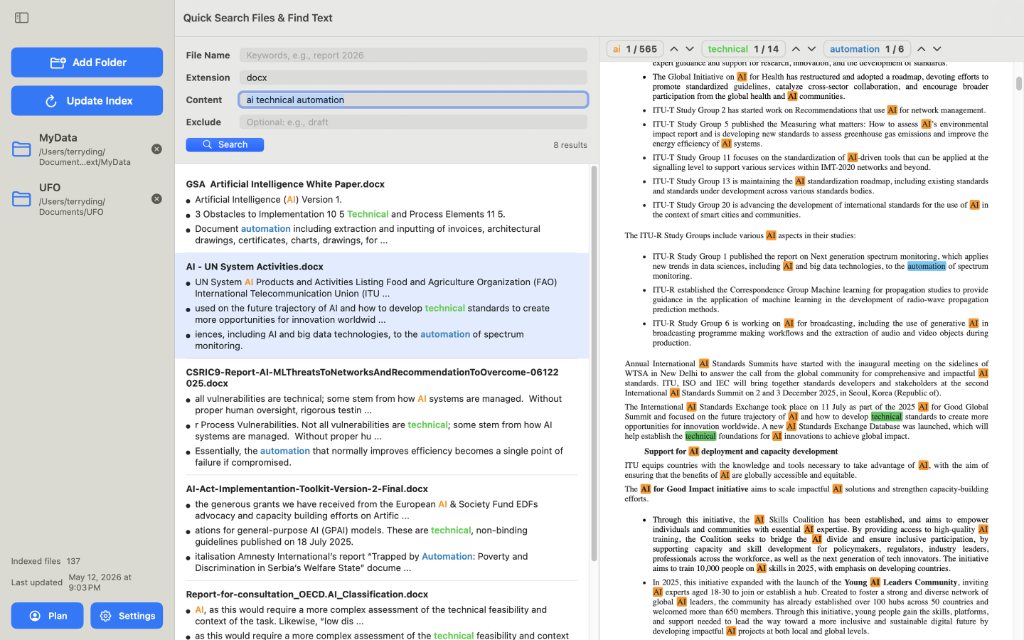
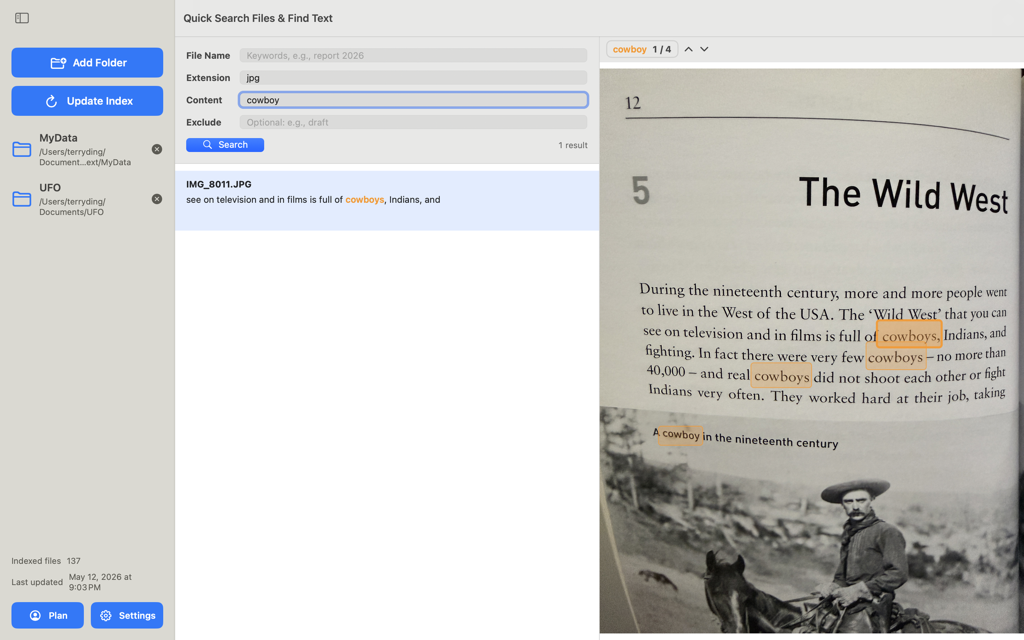
A local-first macOS search app for the folders you choose. Search by file name, extension, document content, exclude keywords, or a combination of fields, then preview matching text with highlights on the right. Pro adds Optical Character Recognition (OCR) for scanned PDFs and images.
Download on the App Store for document-heavy Mac folders and cloud-synced folders available locally.
App preview
See Find Text in action.
Search across folders by file name, extension, document content, and OCR-recognized text. Results and previews highlight matching words so you can confirm the right file before opening it.
Explore
Learn the app and the everyday search workflows.
Start with the macOS overview, then use short guides for content search, OCR, and multi-keyword highlighting.
Find Text for macOS
See how the Mac app searches file names, file types, document content, and scanned text in selected folders.
Guides
Learn practical workflows for finding words inside PDFs, Word files, scans, old books, and document archives.
OCR Guide
Use Optical Character Recognition (OCR) to search scanned PDFs, English newspapers, old books, and images.
Privacy
Local-first by design. Your files and indexes stay on your Mac.